← Unity APP
← Xvisio SDK Documentation Home Page
Speech Recognition
1. Speech Recognition Demo
APK: Talk.unity
Speech recognition function can be realized through the microphone in AR glasses.
2. Development Tutorial
Take below as an example which based on Gesture Demo.
Step 1:
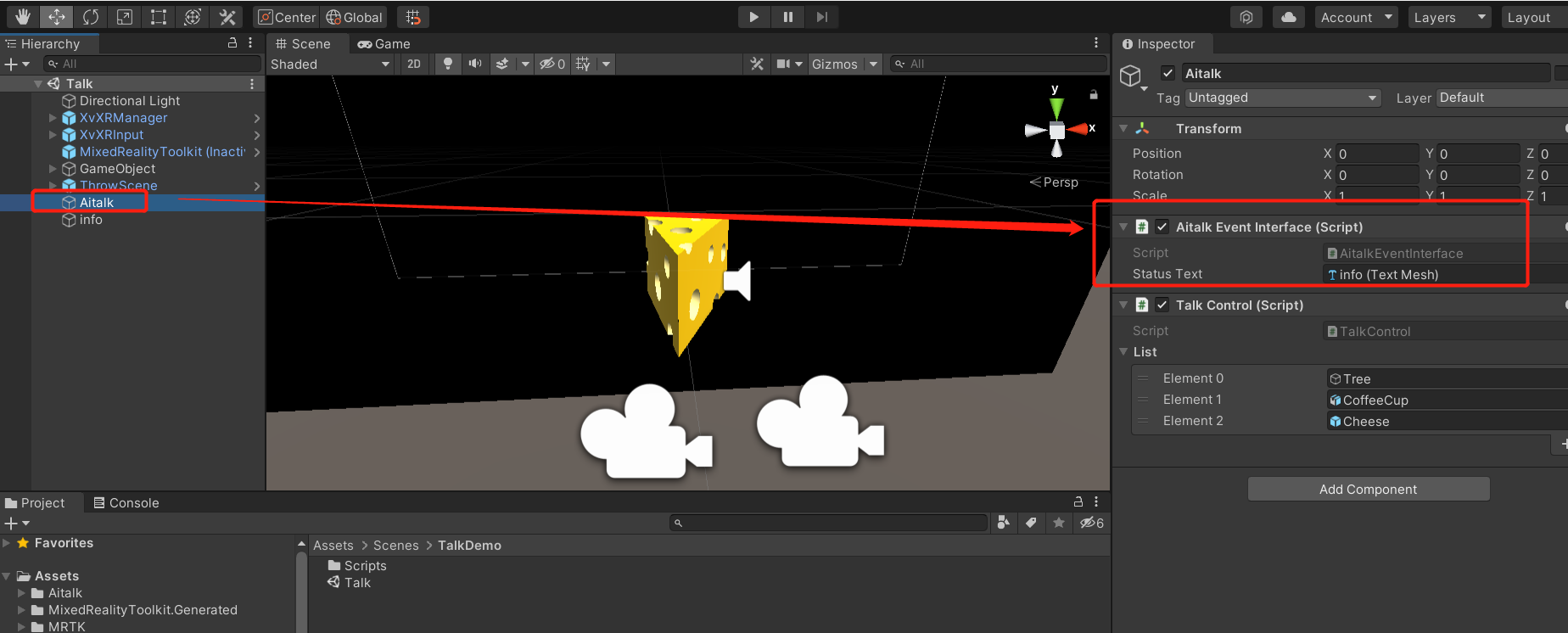
Create a GameObject and name it as "Aitalk". Mount AitalkEventInterface.cs to gameobject. Create a TextMesh and add it to the StatusText under AitalkEventInterface.cs to display the prompt text.
Step 2:
Modify the identification text in AitalkEventInterface.cs code. Please pay attention to the identification text and the ID format of the text in the following code.
  private const string LOCAL_BNF = "#BNF+IAT 1.0 UTF-8;\n"
    + "!grammar word;\n"
    + "!slot <words>;\n"
    + "!start <words>;\n"
    + "<words>:圣诞树!id(999)|茶杯!id(1000)|奶酪!id(1001)|放大!id(1002)|缩小!id(1003)|旋转!id(1004);\n";
In the following code, we will see the process of returning data after receiving recognition.
public void onResult(string result)
    {
        Debug.Log("aitak_log:unity:LogInfo:onResult:" + result);
        string[] strArray = result.Split('|');
        if (strArray.Length > 1)
        {
            if ("true" == strArray[1])
            {
                try
                {
                    AitalkModels.result data = SimpleJson.SimpleJson.DeserializeObject<AitalkModels.result>(result, new JsonSerializerStrategy());
                    if (data != null)
                    {
                        if (data.sc > 20)
                        {
                            if (data.ws[0].cw[0].id == 999)
                            {
                                this.GetComponent<TalkControl>().talkAction(3);
                            }
                            if (data.ws[0].cw[0].id == 1000)
                            {
                                this.GetComponent<TalkControl>().talkAction(4);
                            }
                            if (data.ws[0].cw[0].id == 1001)
                            {
                                this.GetComponent<TalkControl>().talkAction(5);
                            }
                        }
                        UpdateText("onResult:true" + data.sc + "," + data.ws[0].cw[0].w + "," + data.ws[0].cw[0].id);
                    }
                }
                catch (Exception e)
                {
                    UpdateText("onResult:false");
                }
            }
            else
            {
                UpdateText("onResult:false");
            }
        }
        else
        {
            UpdateText("onResult:false");
        }
    }
Step 3:
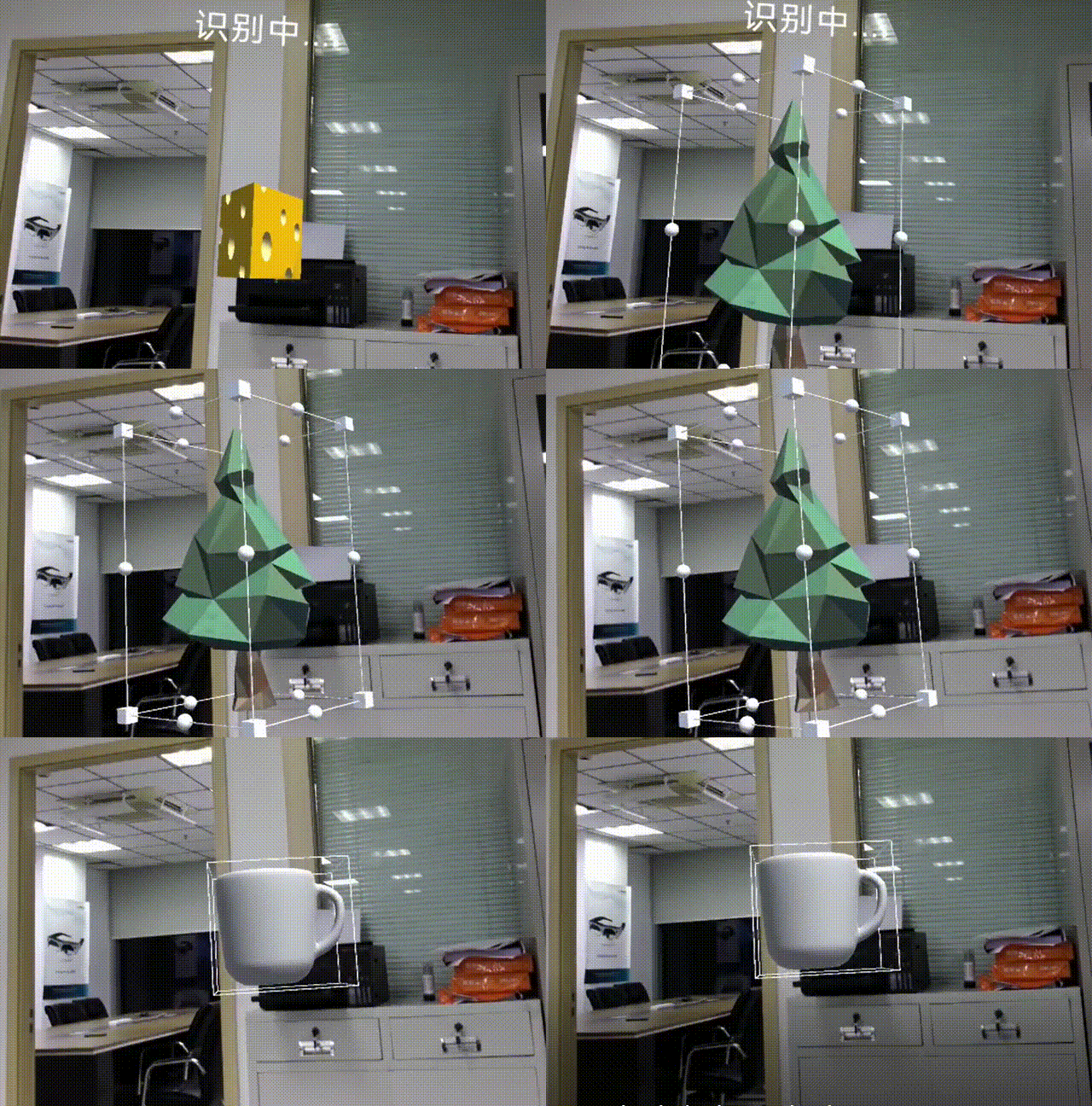
After packing the APK, user can see that the objects tea cup, cheese and Christmas tree will display in the screen by speeching input.