← Viewer Installation
← Xvisio SDK Documentation Home Page
Linux/Ubuntu - Xvisio Viewer Download and Install Guide
Note:Since there is a translation layer between USB3.0 of the virtual machine and the hardware of the machine, it will cause instability and performance of usb communication, so it is not recommended to install and use xvisio sdk/devices in the VM.
Prerequisites
The prerequisites of the environment are the same as the installation requirements of the Xvisio SDK. If the Xvisio SDK has been successfully installed, there is no need to install it again.
Make Ubuntu Up-to-date
Update Ubuntu distribution, including getting the latest stable kernel:
sudo apt-get update && sudo apt-get upgrade && sudo apt-get dist-upgrade
Ubuntu dependency library installation
Install dependent library:
sudo apt-get updatesudo apt-get install -y tree g++ cmake cmake-curses-gui pkg-config autoconf libtool libudev-dev libjpeg-dev zlib1g-dev libopencv-dev rapidjson-dev libeigen3-dev libboost-thread-dev libboost-filesystem-dev libboost-system-dev libboost-program-options-dev libboost-date-time-dev liboctomap-dev
Install usb permissions:
Download permissions file 99-xvisio.rules.
Open a terminal in the directory where you downloaded the file and type the command:
sudo cp 99-xvisio.rules /etc/udev/rules.d/sudo udevadm control --reload-rules && udevadm trigger
Download and Install
Xvisio Viewer supports ubuntu18LTS amd64 and ubuntu20 LTS amd64 versions, and other versions have not been tested and will not be supported.
We only provide the way to install the package with snap. The operation steps are as follows:
- Get the latest installation package:,Please choose to download the installation package containing the words "xvsdk_x.x.x-xxxxxxxx_amd64.snap".
- Check the snap installation status, if you have installed Viewer on your host, you need to uninstall it first:
sudo snap list
If "xvsdk-viewer" exists in the output list, please execute:
sudo snap remove xvsdk-viewer - Install viewer:
sudo snap install --devmode xvsdk_x.x.x-xxxxxxxx_amd64.snap
Note: There should be no installation failure errors during the installation process. If error appears, please check with "Prerequisites".
Check The Installation
Run "xvsdk-viewer" to check the installation status:
- Connect the xvisio device and the Ubunut host with a USB cable.
- To view the USB device status, open a terminal anywhere and type:
lsusb
Observe the terminal output usb status information where VID:PID is "040e:f408", and the USB device whose device name is "MCCI XVisio vSLAM" is the Xvisio device.
Confirm that the current device enumeration is USB3.0 or USB2.0 by the USB Bus number of the Xvisio device and the corresponding BUS HUB type.
Please ensure proper enumeration of Xvisio device
The above description is shown in the following figure:

- Open a terminal, input the program name and press "Enter":
xvsdk-viewer
As shown in the figure:
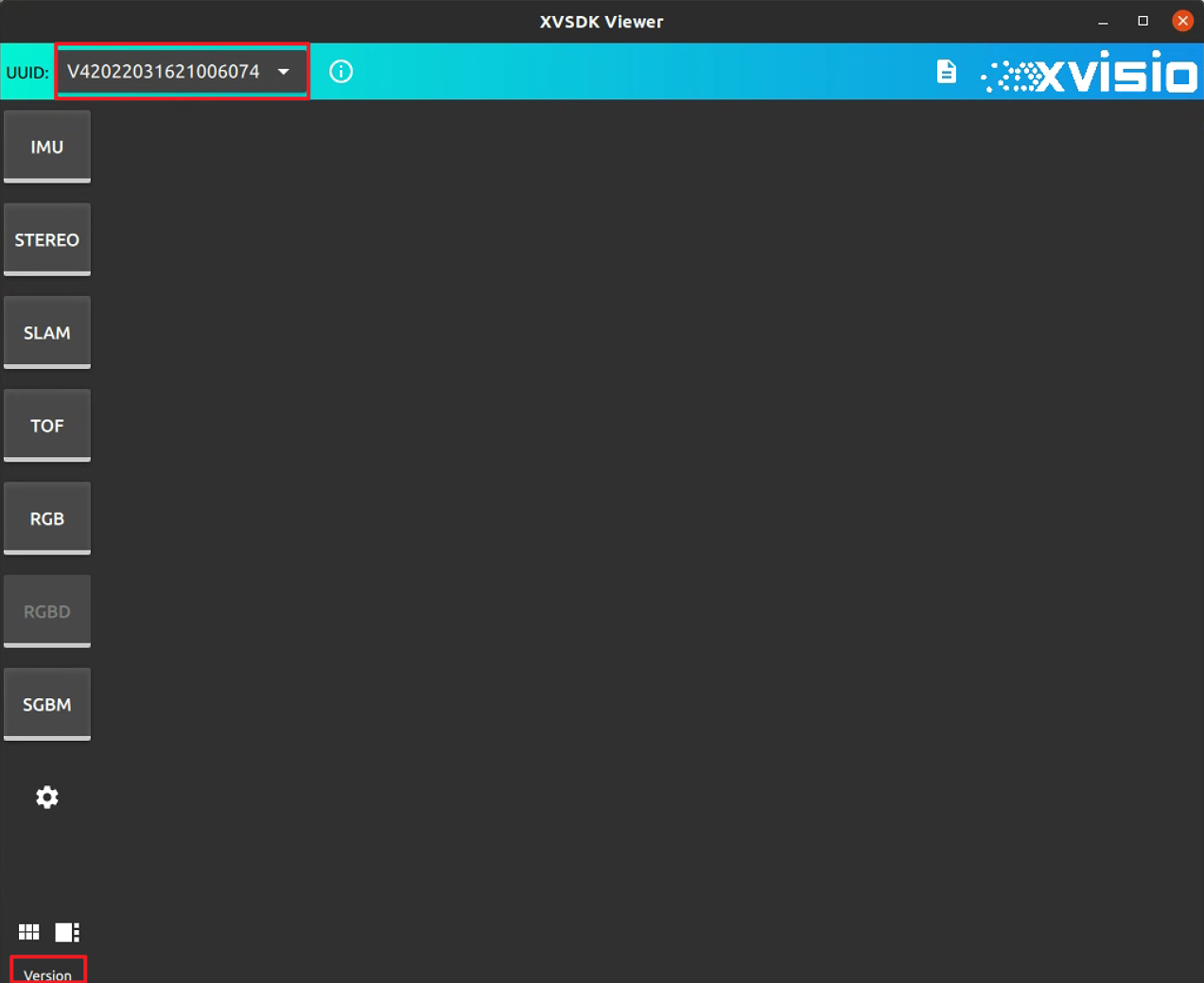
- Click "Verison" in the lower left corner:
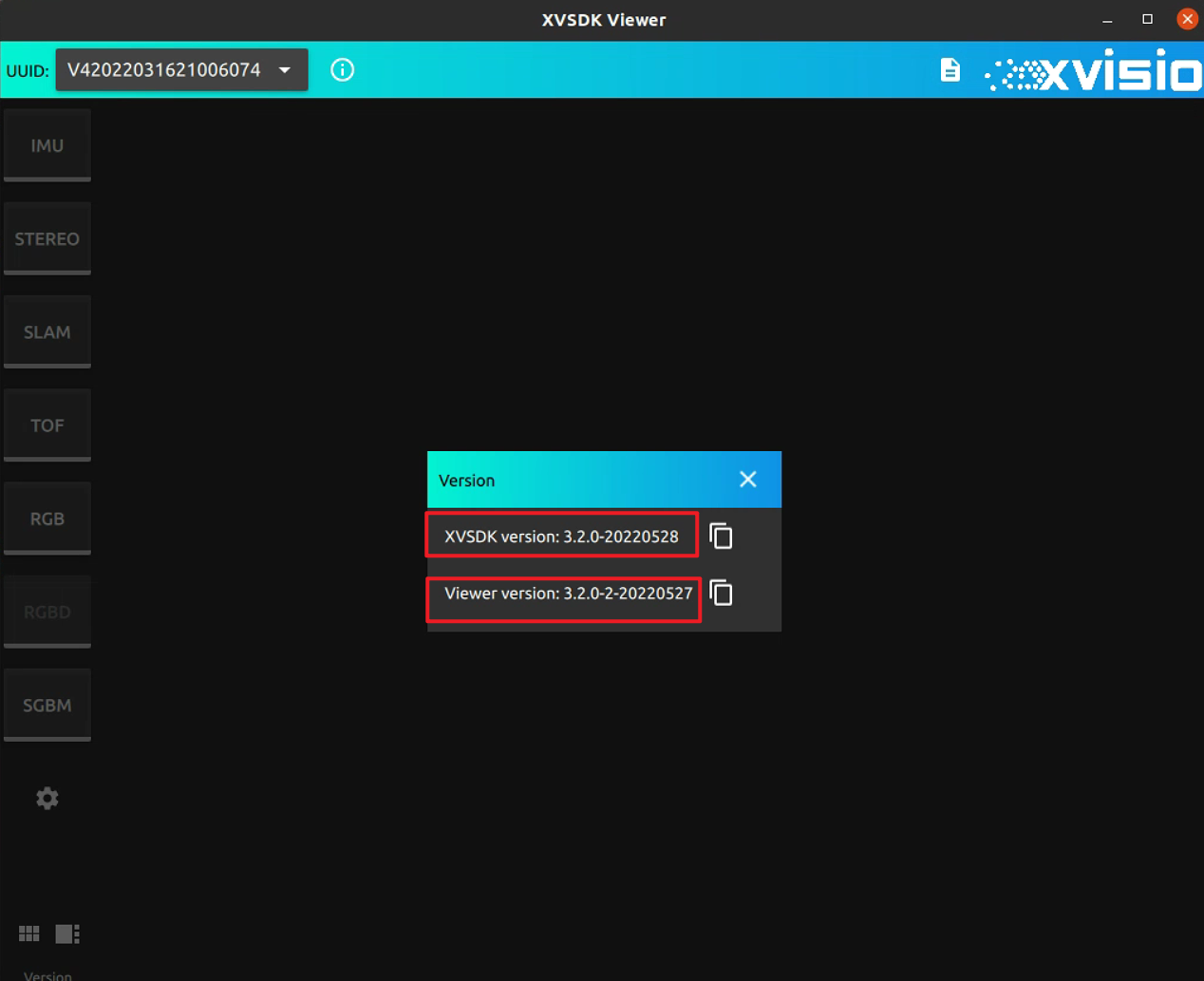
- Check the version of XVSDK and Viewer in the dialog.
Please check whether the version output by the dialog is consistent with the version installed this time. The latest installed version can be obtained by checking Release note for the latest version.
Note: This section only introduces the installation of xvsdk-viewer, please refer to the XVSDK VIEWER Application Guide for the application guide and other introductions.